
Solving the double prompt: Better UX with AMR in Duo SSO

As security threats become more sophisticated, the context of an authentication event matters just as much as the success of the event itself.
This is where Authentication Method Reference (AMR) comes into the picture. We are excited to discuss the integration of AMR support into Duo SSO, a new feature designed to provide granular visibility, enhance security control, and significantly streamline the user experience for your workforce.
What is Authentication Method Reference (AMR)?
Authentication Method Reference (AMR) is a standard that allows Identity Providers (IdPs) to share specific details about how a user authenticated during a session.
Without AMR, an identity provider simply tells an application, "This user is verified." With AMR, the IdP communicates exactly how verification happened, such as:
"This user verified using a password"
"This user verified using a biometric factor"
"This user completed multi-factor authentication"
Duo SSO now supports AMR in both SAML and OIDC protocols, moving towards a more nuanced authentication framework that provides additional visibility and context.
Why AMR matters now: meeting mandatory MFA requirements
Major platforms no longer treat MFA as optional. A prime example occurred on February 3, 2026, when Salesforce began enforcing mandatory MFA for direct logins to combat compromised credentials and account takeovers. Google Cloud has announced similar measures are being rolled out to all users.
If your organization uses SSO to access these platforms and others, this presents a challenge. It is not enough for the IdP to simply log the user in; the IdP must signal that MFA was performed to satisfy these requirements. Otherwise, your users may be blocked from access or forced to register for a separate, redundant MFA method with the service provider.
We expect to continue seeing this trend, with more service providers adopting similar requirements in the future. AMR in Duo SSO ensures that you can meet these evolving third-party mandates without adding friction for your users.
How Duo SSO solves the “double prompt” problem
Consider the experience when logging into Salesforce after the MFA mandate took effect. If the IdP does not send the AMR values, Salesforce assumes that MFA did not happen. This triggers a redundant “double prompt” scenario: the user performs MFA to satisfy the SSO requirement but is immediately forced by Salesforce to register or authenticate again.
AMR eliminates this redundancy. By passing precise authentication details via the OIDC ID Token or the SAML AuthNContext portion of the assertion, Salesforce recognizes that a strong MFA method was already used during the SSO flow. It will then dynamically skip the second prompt, creating a frictionless experience for your users without compromising security or increasing help desk tickets.
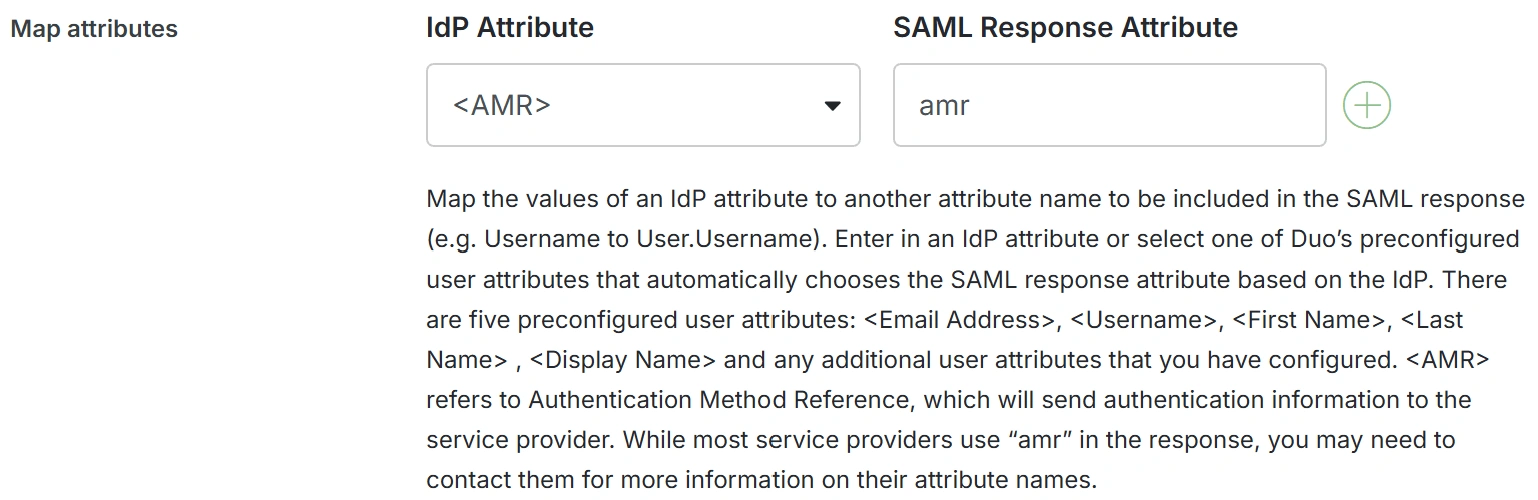
AMR support represents a shift from static authentication to dynamic, context-aware security. By implementing standards-compliant AMR mappings, Duo SSO ensures that you can meet rigorous security requirements while keeping the user experience simple and straightforward.
How to configure AMR in Duo SSO
Enable AMR values for both new and existing Duo SSO integrations. Duo maps your authentication methods to standard AMR values automatically.
To get started:
Review the Duo SSO documentation for configuration steps.
See the knowledge base article for platform-specific guidance.
New to Duo? Start a free trial to see how Duo SSO simplifies authentication for your workforce.